Every customer chat in one inbox.
HeyChat is a shared support inbox for small teams of up to 15 people. It connects 9 channels, including WhatsApp, Instagram, email and your website chat, and each reply goes back on the channel the customer wrote on.
- $87 a month for the whole team
- 7-day free trial, no card needed
- AI replies included, with no fee per answer


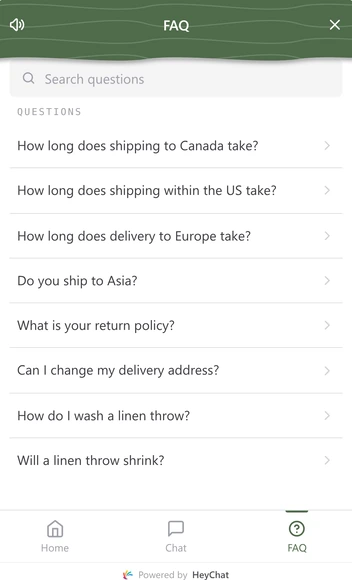
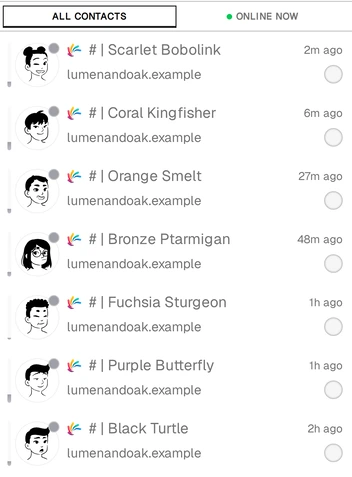
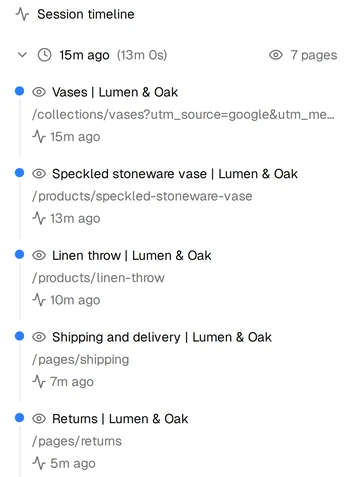
The screens on this page come from a demo workspace: the shop and its customers are made up.
Read the demo video transcript
Your customers message you everywhere: WhatsApp, Instagram, Telegram, Messenger, your website. So your team jumps from app to app, hunting for the right chat, while messages slip through the cracks. HeyChat. Every chat, one inbox, for your whole team. Assign chats, leave private notes, and see who's handling what, live. Speak your customers' language without learning it. Every message translates both ways, in eighteen languages. After hours, HeyChat SI answers from your knowledge base, and hands tricky chats to your team. One line of code puts chat on your website, and shows who's browsing before they say hello. Other tools charge per seat. HeyChat is eighty-seven dollars a month, flat, for up to fifteen teammates. Try HeyChat free for seven days. No credit card needed.
Which channels does HeyChat connect?
HeyChat connects 9 channels to one inbox: your website widget, WhatsApp, Instagram, Messenger, email, Telegram, Zalo OA, Discord and X. You connect each one yourself from the Platforms screen.

Website widget
- How it connects
- One script tag on your site
Visitors chat from a bubble on your pages, or switch from it to WhatsApp, Instagram or another channel you connected.
Works only on your registered domain and its subdomains.

- How it connects
- Sign in with Meta
Chats to your business number arrive with photos, videos and files.
One number per company, and it cannot stay active in the WhatsApp or WhatsApp Business app. Customers start the chat. You reply freely for 24 hours after their last message, then with a Meta-approved template. Meta charges per reply beyond 1,000 free replies a month per number, billed to your WhatsApp Business account.

- How it connects
- Sign in with Instagram
Direct messages to your account arrive with photos and videos.
Business and Creator accounts only.

Messenger
- How it connects
- Sign in with Facebook, choose a Page
Messages to your Facebook Page arrive with photos, videos and files.
You can connect several Pages, and one is active at a time.

- How it connects
- Your own mailbox over IMAP and SMTP
Mail to your support address becomes a conversation, and replies leave from that address in the same thread.
One mailbox per company. Email connects after you subscribe, not during the trial.

Telegram
- How it connects
- A bot token from BotFather
Customers message your Telegram bot, and each chat arrives in the inbox with photos, videos and files.
A customer has to message your bot first: Telegram does not let a bot start a conversation.

Zalo OA
- How it connects
- Sign in with Zalo
Messages to your Official Account arrive with photos and files.
Works with a Zalo Official Account only.

Discord
- How it connects
- A bot token and application ID
Customers send your bot a direct message, and it arrives in the inbox.
Posts in your server channels stay in Discord.

X (Twitter)
- How it connects
- Keys from your own X developer app
Direct messages arrive within about a minute.
X bills API use to your developer account, from pay-per-use credits you buy from X.

LINE, WeChat, KakaoTalk, Viber, LinkedIn, Slack and TikTok are not self-serve. Contact us if your customers use one of them.
How does a team share one HeyChat inbox?
HeyChat lets your whole team answer from one WhatsApp number, Instagram account and mailbox. You assign each conversation to one teammate, and HeyChat shows who has it open, so two people do not answer the same customer.
- Assignment and auto-routing. Assign by hand, or route new conversations by round robin or current load, to online agents only if you like.
- Private notes and team chat. Notes on a customer are for your team only, and agents talk to each other in an internal chat.
- Priority, SLA targets and CSAT. Set a priority from low to urgent, with first-response and resolution targets in your business hours, and send a 5-star survey when a conversation is resolved.

Can HeyChat AI answer customers on its own?
HeyChat AI can answer customers on its own from your knowledge base while no teammate is assigned, and drafts replies for your agents. It hands over to a person when it is unsure, when the customer asks, or after 10 AI replies in a row.
Three autonomy modes
- Off. Suggestions only. A person sends every message.
- Conservative. Replies only with a confident answer from your knowledge base.
- Balanced (default). Also answers confident general questions.

- A knowledge base you approve. Facts you type go live at once. Facts from a PDF, Word or text file, or proposed by the AI, wait for your approval; contradictions are flagged.
- You choose the channels. Turn the AI on or off per channel; email starts off. Sales pitches get no reply, and the AI's own replies carry an AI badge.
- Translation in 18 languages. Translate a customer's message into your language and your reply into theirs, with one click. Translation does not count toward the daily AI limit.

How much does HeyChat cost?
HeyChat costs $87 a month for a team of up to 15 people, with every feature and channel in one plan and no fee per seat, conversation or AI reply.
HeyChat
$87/month
Excludes VAT where it applies, and the WhatsApp and X API fees that Meta and X bill to your own accounts.
Or $870 a year paid upfront, which is two months free: ask us for the payment link.
Every channel except email works during the trial.
Included in the plan
- All 9 channels, the website widget included
- Unlimited conversations under the fair use terms
- AI replies and suggestions, knowledge base and translation, up to 2,000 AI requests a day
- Auto-replies, quick replies and per-agent analytics
- Free setup on request: the HeyChat team installs your widget and loads your FAQs
HeyChat next to per-seat help desks
On any plan in this table, paying for 2 people already costs more each month than HeyChat.
For 5 people, the cheapest plan listed, Help Scout Plus, costs $138 a month more than HeyChat.
| Product | Plan | List price | Team total |
|---|---|---|---|
| HeyChat | One plan | $87/mo | The same for 1 to 15 people |
| Zendesk | Suite Team | $55/agent/mo | $275/mo for 5 agents |
| Intercom | Advanced | $85/seat/mo | $425/mo for 5 seats |
| Front | Professional | $65/seat/mo | $325/mo for 5 seats |
| Freshdesk | Pro | $55/agent/mo | $275/mo for 5 agents |
| Help Scout | Plus | $45/user/mo | $225/mo for 5 users |
| LiveChat | Growth | $79/user/mo | $395/mo for 5 users |
Published annual-billing prices for the plan named, checked . Each price links to the page where the vendor publishes it.
Who should not buy HeyChat
- Campaigns or bulk messaging: HeyChat answers customers who write first, and WhatsApp is reply-only.
- Phone support. There is no call handling: the Call button only opens your phone's dialer.
- Contact centers that need queue management, workforce scheduling or seats for more than 15 agents.
How does HeyChat protect your data, and how do you leave?
HeyChat does not sell your customer data or conversations. You keep ownership, the owner can export everything, and you can delete any customer yourself.
- Encrypted per company. Customers' full names, emails and phone numbers, channel credentials, files and your AI keys are encrypted at rest (AES-256-GCM, a key per company). Message text, channel usernames and display names are not.
- Export, then leave. The owner exports the whole company as a ZIP file and, for 30 days after the plan or trial ends, can still download a JSON backup. Cancelling stops the next charge, and the current period is not refunded.
- Delete your data. Delete any customer and their history yourself. For the whole account, email [email protected], and HeyChat handles the request within 30 days.
What else do people ask about HeyChat?
Small teams of up to 15 people whose customers write on more than one channel, for example an online shop, a hotel or a repair shop. HeyChat handles the conversations. It does not take bookings or payments, so it works next to the booking or shop system you already have.
For answering customers, yes. HeyChat connects one WhatsApp number when you sign in with Meta (the number has to leave the WhatsApp apps first), adds its own chat widget to your site, and puts both in one inbox with your other channels. On WhatsApp it replies to customers who wrote first, and it sends no broadcasts or campaigns, so keep a separate tool if you need those.
The inbox pauses until the owner subscribes, and nothing is charged. There is no free plan. If nobody subscribes within 30 days, HeyChat deletes the account and all of its data.
English, Spanish, French, Polish, Vietnamese, Chinese, Russian and Japanese. The app follows your browser's language, and each teammate can switch it from the menu in the sidebar.
Yes. HeyChat installs from the browser as an app on phones and computers, with push notifications. On an iPhone, add it to the home screen from Safari first.
Not a public one, and no MCP server or SDK either. The website widget installs with one script tag and needs no API; for anything else, ask on the contact page.
Yes. HeyChat, at heychat.si, was called Converge until November 2026, and it is the same product from the same company. More on the about page.
How do you start with HeyChat?
HeyChat takes three steps to start, and you need only an email address and access to one channel account.
-
Sign up with your email
HeyChat emails you a login code. Name your company and the trial starts.
-
Connect your first channel
Open Platforms, pick your busiest channel and send a test message.
-
Invite your team
Invite teammates under Manage, then Employees. Each link works 7 days.
Questions before you start? Use the chat bubble on this page, or write to [email protected].
Listed on